

Configuring MVF
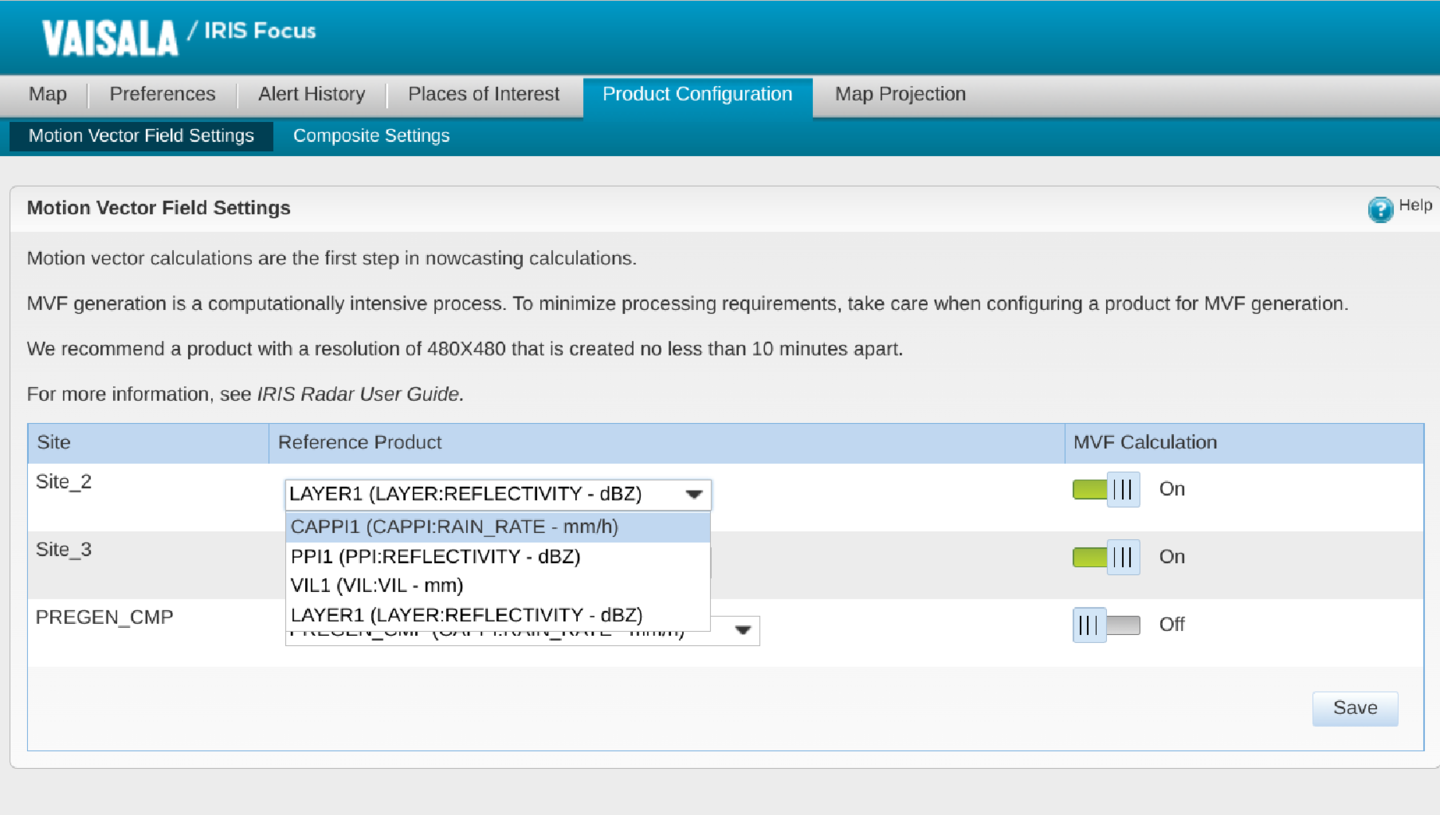
To use nowcasting, for each radar site you must enable motion vector field (MVF) calculation and pre-configure the MVF product to define a product type and product name.
To create the MVF, at least one pregenerated product is needed from the socket server. To perform the nowcasting calculations from the MVF to create future products, at least one pregenerated or on-demand product that has raster data is needed.
 | IRIS Focus generates one MVF product per site. If meteorological conditions vary across your radar sites, you may wish to use different products for each radar site. |
- Log in to IRIS Focus as poweruser.
- Select .
-
For each radar site, select whether MVF calculation is enabled for that site.
To maximize the server performance, do not enable MVF calculation for sites that do not need the nowcasting feature.
-
For the sites with MVF calculation enabled, select the product used to create MVF products. The choices most likely to yield the best results will appear near
the top of the list. If you do not see the desired product type, you will need
to consult your system administrator, as this may involve updating the
configuration on the IRIS Analysis server that provides the data or adjusting
the vsoweb-override.ini file.

To maximize server performance, avoid:
-
Products that generate too much data, for example, those with large resolutions.
Vaisala recommends using a CAPPI at 2km height with a 480x480 resolution.
-
Generating the MVF product too frequently.
Vaisala recommends using products that are configured to be created no less than 10 minutes apart.
For more information on pre-configuring products, see IRIS Radar User Guide (M212926EN) and IRIS Product and Display Guide (M212928EN).
-
- Select Save.