

Configuring Turbulence
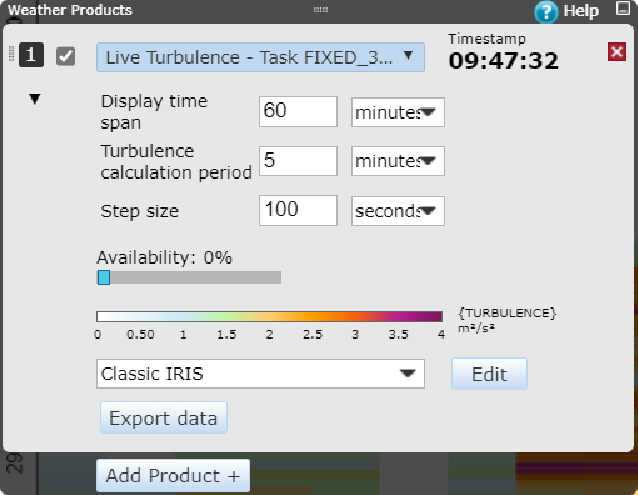
The Turbulence product shows a number of bars that are each Step size wide. The actual time span displayed will be equal to or higher than the Display time span value, so that only entire bars will be shown.
For example, a Display time span of 20 minutes with a Step size of 2 minutes will result in 10 bars, and the actual time span shown will be 20 minutes. However, a Display time span of 21 minutes with a Step size of 5 minutes will result in 5 bars, and the actual time span shown will be 25 minutes.
-
Click
 to show the detailed
product settings.
to show the detailed
product settings.
- Set the period over which the data is displayed in the Display time span field in minutes or seconds.
- Set the Turbulence calculation period in minutes or seconds.
- Set the Step size in minutes or seconds.
- Set the measurement availability threshold (filter out data with availability below this value) with the Availability slider.
-
Choose the color scale from the Color scale pulldown bar.
Click Edit to edit the selected color or create a new color scale.

Users with both admin role and focus role can create global color scales that all users can select to use. -
Click
 to hide the detailed
product settings.
to hide the detailed
product settings.

You can export turbulence data to a NetCDF file with Export data.