Turbulence
The Turbulence product allows to better understand the variations in time and space of wind speed through the fluctuations of the Doppler velocities. They are computed as the variance of Doppler velocities during a defined calculation period and expressed in m²/s². The Turbulence product can be applied to FIXED (pointing) scans of Windcube Scan Lidars only.
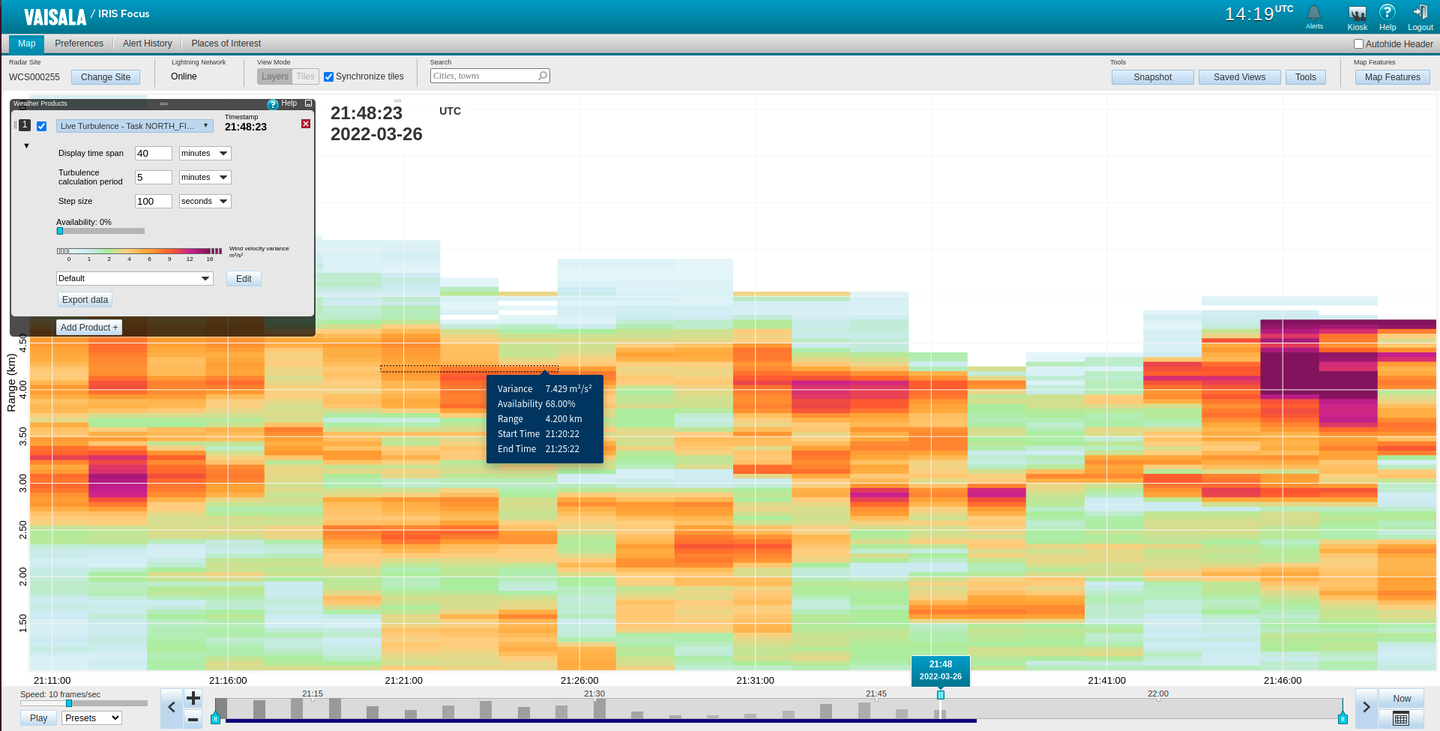
In the product display, each turbulence calculation period is displayed as a vertical bar. The variation in color shows the variation in the turbulence value. The X axis shows the time and the Y axis shows the range.
The colored area on the time line shows the query time.
The graphs are displayed without an underlaid map, but you can view map tiles with other weather products next to the graphs in the Tiles mode.
Viewing the Turbulence product
You can select the time intervals in which the turbulence is shown. The following are selectable in the product configuration pane:
| Parameter | Description |
|---|---|
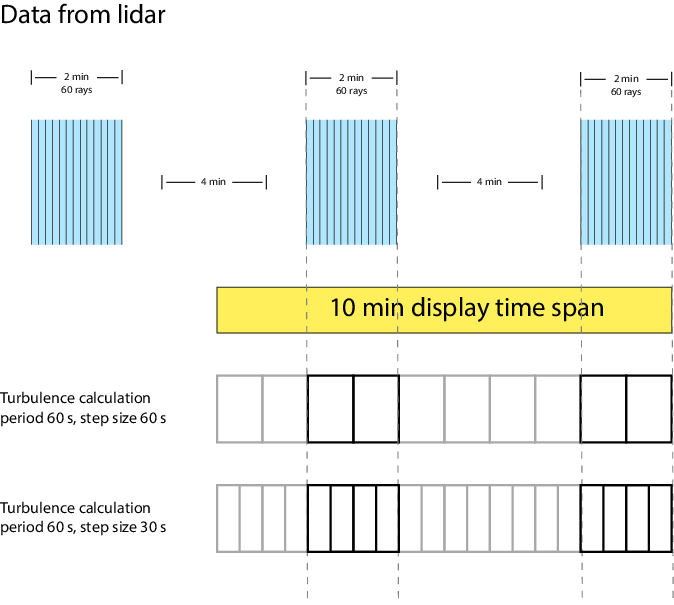
| Display time span | The duration in time for which data that is currently displayed. Shown as a colored area on the timeline. Pointing scans are collected over this time period and then visualized as a graph. |
| Turbulence calculation period | The period of time over which the turbulence value is calculated. |
| Step size | The interval between starting new calculation periods. The default value is the same as the calculation window value. |
The following image describes the dependencies between these values. The vertical bars represent the turbulence calculation periods. If you set a step size that is smaller than the turbulence calculation period, you get more granularity. However, in this case, you get the situation where at the beginning of the query time, the first turbulence calculation period has not yet been finalized when the second one is already started.