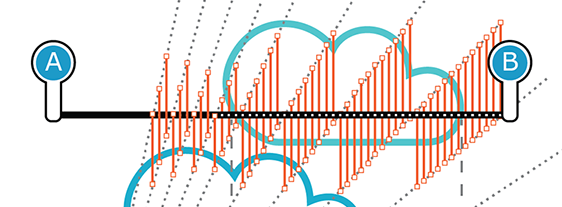
Calculating CAPPI
A CAPPI product is displayed on screen by reading the whole scan volume data and calculating a horizontal cross-section at the selected altitude. The cross-section is drawn as a rasterized bitmap. The directly measured data is only from the areas where radar pulses intersect the selected altitude layer. The rest of the bitmap is interpolated both horizontally and vertically from known values.
Calculating a CAPPI product requires that a full PPI volume scan is completed first. A CAPPI product is only updated when the whole volume has been scanned and processed.
For each pixel in the image, the algorithm calculates the CAPPI product as follows:
- Checks the azimuthal equidistant
(
AzEq) cylinder volume from the 2 nearest (in elevation) volume data points of the CAPPI constant altitude plane point. - Linearly interpolates the volume data points at the nearest elevations to define a single CAPPI plane data point value.
AzEq
cylinder volume from 2 nearest data points