

Drawing circles
-
Select .
The Places of interest pane opens.
- Select Circle.
-
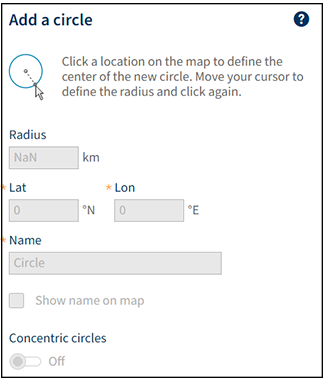
To draw the circle on the map:
- Click the location on the map where you want to place the center of the circle.
- Move the mouse to define the radius of the circle, and click again.
- To move the circle on the map, drag the center point of the circle.
- To resize the circle on the map, use the corner points around the circle.
- After drawing the circle, you can also modify it by filling in the exact radius and coordinates. IRIS Focus uses the WGS84 coordinate system.
- Give the area of interest a unique name.
-
To show concentric circles between the center point and the outer edge of the area of
interest circle, set the Concentric
circles toggle button On.

Concentric circles are a visual aid for viewing the area. They do not have an impact on the alerting functionality. - Select Save.