

Snapshot tool
The Snapshot tool enables you to easily export weather images and animated weather data.
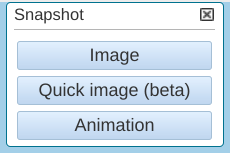
You can select between Image, Quick image (beta), or Animation.
The Image snapshot creates an image similar to a normal screenshot that you might take with your computer's screenshot tools.
The Quick image (beta) and Animation snapshots are intended for more data-focused use, and are suitable for adding your own styling or labeling, for example, when incorporating into a web portal.
- On the Map view, select Snapshot
-
Select Image, Quick image
(beta), or Animation.
When you select Image, a PNG file of the current screen is downloaded to your computer.
When you select Animation, the animation defined in the animation timeline is downloaded to your computer as a GIF file.
Selecting Quick image (beta) generates a PNG file faster than when you select the normal Image, but this function does not support the following products and features:- RTI and Turbulence products
- WMS layers
- Tiled mode
 | The snapshot file that IRIS Focus produces may not look exactly like the image in your browser. This is because the snapshot image is rendered with the server's browser, which may be slightly different from the browser with which you are viewing IRIS Focus. |