

Viewing additional cursor tool information
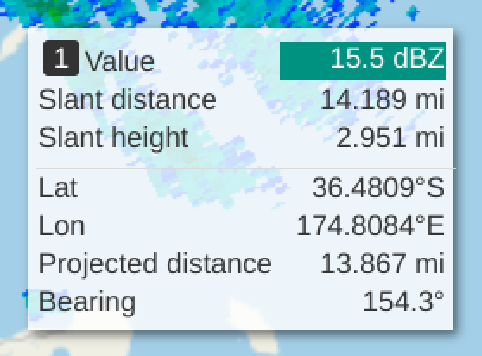
Press and hold Shift to see additional information about the distance of the location from the radar or lidar as described in the table below. You can use this function to get both the projected and real distances between any point and the location of a device, for example.
 | This function is only available when a single device is selected and when the browser window has keyboard focus. |
| Label | Description |
|---|---|
| Bearing |
The number of degrees clockwise from due north of the shortest path along the Earth’s surface from the device coordinates to the cursor coordinates. |
| Projected distance |
The great circle distance coordinates and cursor coordinates projected to the Earth surface using the WGS 84 Earth radius. |
| Slant distance |
The length of a straight beam emitted from the device to the cursor in true 3D space. Slant distance is shown for each PPI product when a single device is selected. |
| Slant height |
The height of the beam at its slant distance from the imaginary plane the lidar is resting on. Slant height is shown for each PPI product when a single device is selected. |
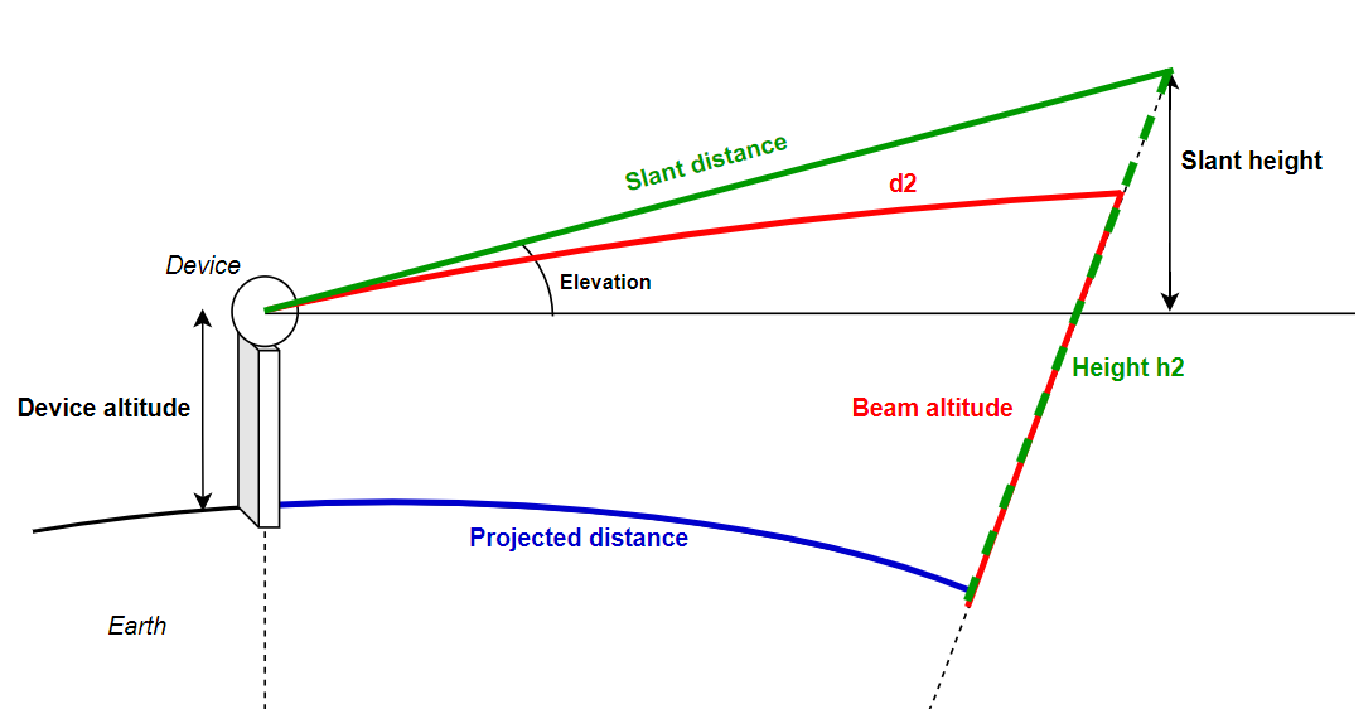
Press and hold Ctrl to see a more detailed list of additional information as described in the table below.
| This function is only available when a single device is selected, a PPI product with an elevation setting is available, and when the browser window has keyboard focus. |
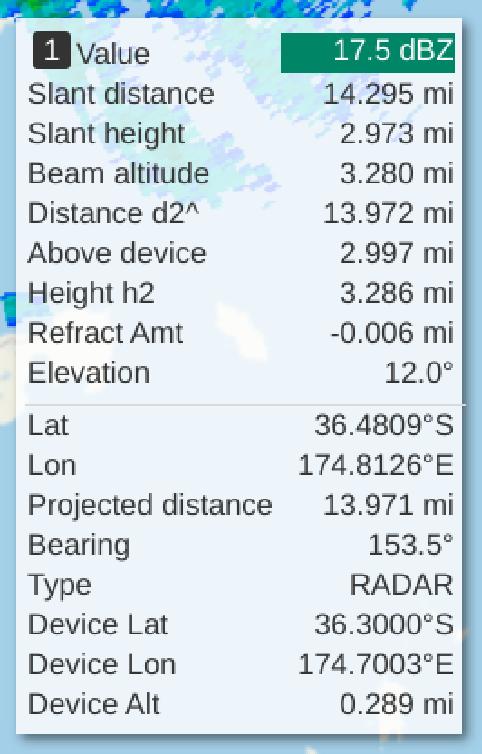
| Label | Description |
|---|---|
| Above device |
The altitude of the data relative to the device altitude whereas Height h2 is the altitude of the data relative to sea level. |
| Beam altitude |
The beam altitude above sea level at the cursor location taking into account the effect of refraction on the radar beam. |
| Device alt |
The beam altitude above sea level at the cursor location, taking into account the effect of refraction on the radar beam. |
| Device lat |
The latitude of the selected device. |
| Device lon |
The longitude of the selected device. |
| Distance d2^ |
The great circle distance between the device and cursor coordinates computed at the altitude of the device. When the altitude of the device is above sea level, this value will be slightly larger than the value shown next to the Projected distance value. |
| Elevation |
The elevation angle of the device for the selected PPI product. |
| Height h2 |
The altitude above sea level for the data the cursor is over when the data at the point where the slant height is computed. The amount of deviation from the slant height grows as the distance grows between the cursor and the device. |
| Refract amt |
The estimation for the adjustment to the beam height at the cursor location due to refraction that would be expected for a radar beam. |
| Type |
RADAR or LIDAR depending on the type of device providing the PPI product data. |